
24. April 2026
WordPress-Einbettungen verhindern
Wer häufig mit dem WordPress-Block-Editor (Gutenberg) arbeitet, kennt das Problem: Eigentlich will man nur einen Link einfügen – aber WordPress versucht automatisch eine Einbettung daraus zu machen.
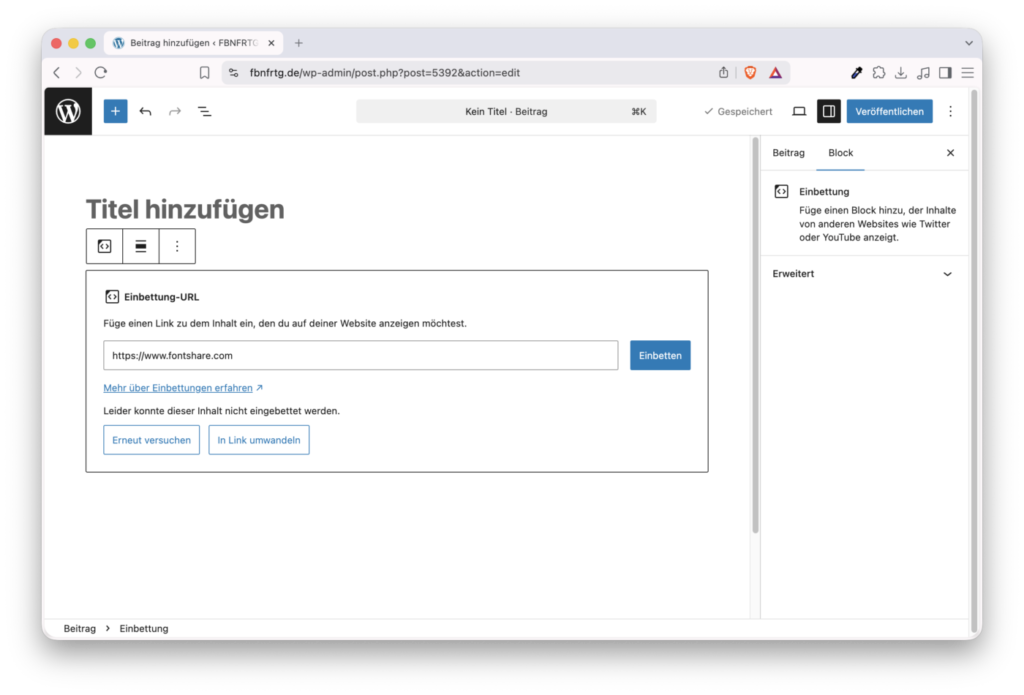
Mit folgendem Code in der functions.php kann dieses Verhalten deaktiviert werden:
// Embed-Block deaktivieren
add_filter( 'allowed_block_types_all', function( $allowed_blocks, $context ) {
    if ( ! is_array( $allowed_blocks ) ) {
        $all_blocks = array_keys( WP_Block_Type_Registry::get_instance()->get_all_registered() );
        return array_diff( $all_blocks, [ 'core/embed' ] );
    }
    return array_diff( $allowed_blocks, [ 'core/embed' ] );
}, 10, 2 );

add_action( 'enqueue_block_editor_assets', function() {
    wp_enqueue_script(
        'disable-url-embed',
        false,
        [ 'wp-blocks', 'wp-dom-ready' ],
        null,
        true
    );
    wp_add_inline_script( 'disable-url-embed', "
        wp.domReady( function() {
            var variations = wp.blocks.getBlockVariations( 'core/embed' );
            if ( variations ) {
                variations.forEach( function( variation ) {
                    wp.blocks.unregisterBlockVariation( 'core/embed', variation.name );
                });
            }
            wp.blocks.unregisterBlockType( 'core/embed' );
        });
    " );
});Code-Sprache: PHP (php)Nächster Artikel
